WALKTHROUGH
Three audio tools in one browser tab
A vocal remover, a noise reducer and a text-to-speech voice, all running on your own machine with nothing uploaded. Here is the walkthrough, what each tool has to download before it can start, and how to check the no-upload claim for yourself in about ten seconds.
The walkthrough
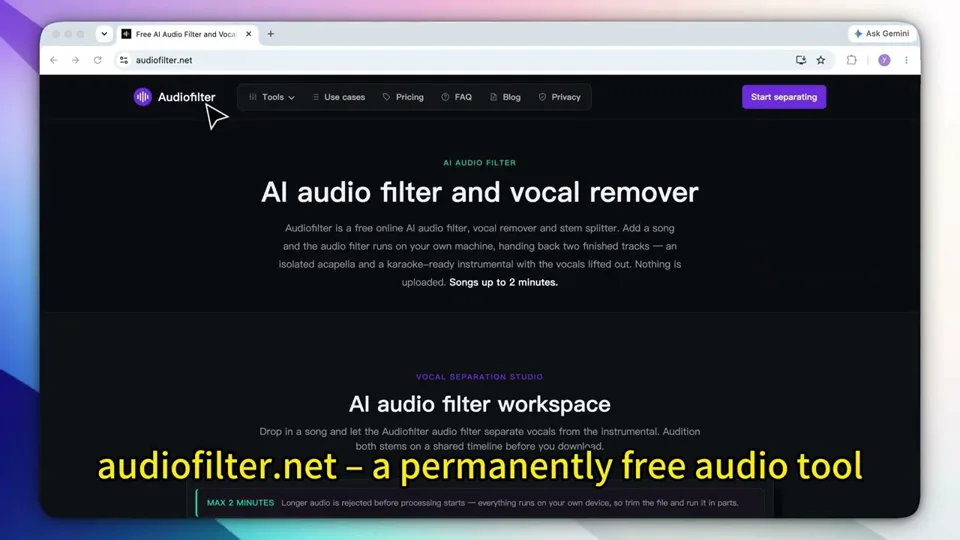
The video runs all three tools end to end: a song split into an acapella and an instrumental, a spoken recording with the room taken out from behind the voice, and a line of typed text read aloud. One pass, one machine — which is the point, because that machine is yours rather than ours.
The part a screen recording cannot prove
A video of a tool working is a video of a tool working. It cannot show you where the file went, and that is the one claim worth being sceptical about — every free audio site says something reassuring about privacy, and most of them still put your recording on a server first.
This one is checkable from your side, without taking anyone's word for it:
- Open any of the three tools and press
F12(⌥⌘Ion a Mac), then pick the Network panel. - Tick Disable cache, so the model download shows up rather than coming off disk.
- Drop your file in and let it run to the end.
- Read the list. Every request will be a
GET, and every one of them will be for a model or a script from this site.
What you are looking for is what is absent: no POST, no request with your audio in its body, no upload progress at all. Traffic goes one way. The model is fetched to where your file already is, rather than your file being sent to where the model lives, and that ordering is the whole architectural difference — it is not a retention policy that could quietly change next quarter.
Pull the network cable out after the model has cached and the tools keep working. That is the same fact seen from the other end.
What that costs you
Running the models locally is not free — it is billed differently. Instead of our server time you spend a download on the first visit and your own processor while the work runs:
| Tool | First-visit download | Limit |
|---|---|---|
| Vocal remover | About 52 MB — a 12 MB runtime plus two 20 MB model files, one per stem | 5 minutes, 300 MB |
| Noise reducer | About 16 MB | 5 minutes, 300 MB |
| Text to speech | About 64 MB over the wire | 500 characters per generation |
Each download happens once per tool and is then cached by the browser, so a second visit starts straight away and needs no connection. The length caps exist for the same reason as the downloads: a five-minute stereo track expanded to floating point is already a large object to hold in one browser tab, and a full song would end the session rather than queue behind a paywall. Trim the section you want in any editor first and feed that in.
Getting the text-to-speech model onto a static host at all turned out to be the hard half of the project. That story — a 25 MiB per-file wall, cross-origin isolation, and a host that reports the opposite of the truth when you ask about compression — is written up separately.
The first-visit figures above are real megabytes, and a phone on mobile data will feel them. The noise reducer is the light one at about 16 MB. Text to speech is the one to save for wifi.
Splitting a song into two stems
The vocal remover takes a mix and returns two files: the isolated vocal and the instrumental left behind. It does that by recognition rather than subtraction, which is the distinction that decides whether it will work on your track.
The familiar free method — the one built into Audacity — is phase cancellation. It subtracts whatever the left and right channels have in common, on the assumption that the lead vocal is centred. Sometimes it is. The kick, the bass and the snare are usually centred too, and bass is often summed to mono below roughly 120 Hz deliberately, so they go with it. On a mono file there is nothing to subtract against, and on a vocal drenched in stereo reverb the reverb survives while the dry voice disappears, which sounds worse than leaving it alone. We wrote up how to do it in Audacity and when it will not work, including a 30-second test for your own file.
A separation model has been trained on what a singing voice looks like across time and frequency, so it rebuilds each part instead of cancelling one against the other. That is why it copes with mono recordings, off-centre vocals and heavy reverb, and why the instrumental keeps its low end. What it cannot do is invent detail that was never in the mix: where the voice and a guitar occupy the same narrow band at the same moment, something has to be assigned to one of them, and that judgement is what separation artefacts are.
Taking the room out of a recording
The noise reducer is for speech, not music. It looks at the recording in short frames, estimates for each frequency band how much of it is voice and how much is room, and applies a gain to each band accordingly. Steady, repetitive noise — fan hum, air conditioning, mains buzz, mic hiss — is what this class of model reads most reliably, because its pattern holds still while speech keeps moving.
The control worth understanding is Fine-tune, which sets an attenuation limit in decibels: a ceiling on how much the model is permitted to remove. It exists because the bad outcome of noise reduction is not leftover hiss, it is a voice that has been chewed into something watery and metallic. Capping the reduction keeps the voice intact and leaves a little noise behind, and that is usually the better trade for anything a person has to listen to for half an hour.
There is a nine-second room recording on the noise reducer page that you can switch between before and after while it plays. Between phrases — twenty-seven gaps in nine seconds, which is where noise is easiest to hear — the floor drops by about 17 dB. The speech itself comes back half a decibel quieter than it went in. That second number is the one to check on any noise tool you try, including this one: turning the whole recording down will always make a noise floor look better, and half a decibel is not that.
What it will not fix is reverb. Echo is a copy of the voice rather than something sitting behind it, so there is nothing for the model to separate. That one is solved by moving the microphone closer, not afterwards.
Reading typed text aloud
The third tool goes the other way: text in, audio out. There are 19 voices across 14 accent families, and a 500-character limit per generation — roughly 80 words, or about 30 seconds of speech. That is a line of narration or a caption, which is the shape most people actually need, and it is easier to edit a script one line at a time than to re-cut a single long file.
It will also clone a voice from a short sample, and the sample obeys the same rule as everything else here: it is read in the tab and never sent anywhere. Record it somewhere quiet. A clone reproduces the room and the delivery along with the timbre, so a sample with a fan in the background produces a voice with a fan in it.
Where a browser is the wrong place for this
- A full-length album. Five minutes a pass covers most single songs, but forty of them is still forty passes. Batch work belongs on a machine you can leave running.
- Four or more stems. The separator splits vocals from everything else. Separate drums, bass and other parts need a different model and more compute than a tab should be asked for.
- An API. There is no endpoint to call, by construction — there is no server doing the work.
- A metered connection on a phone. The first download is real, and text to speech is the heavy one.
- Fine prosody control. No SSML, no phoneme editor, no per-word pitch. You steer the read by rewriting the text.
Frequently asked questions
Do these audio tools upload my file?
No. Each tool downloads a model into the browser tab and runs it there, so the audio stays on your own machine. You do not have to take that on trust: open the browser's network panel before you process anything and watch what happens. The requests are all downloads from audiofilter.net — there is no upload carrying your file.
How big is the first download, and does it happen every time?
About 52 MB for the vocal remover, 16 MB for the noise reducer and 64 MB for text to speech. It happens once per tool: the browser caches the model, so later visits start immediately and work with the connection off.
Why is there a five-minute limit on the audio tools?
Because the separation and cleanup run on your own processor and inside one browser tab's memory. A full-length song would exhaust the tab rather than queue behind a paywall. Trim the section you need in any editor and process that.
Do I need to install anything to use them?
No. There is no plugin, no extension and no account. A recent version of Chrome, Edge, Firefox or Safari covers the vocal remover and the noise reducer. Text to speech asks more of the browser and does not run in every mobile webview.
Which tool should I use for a recorded interview?
The noise reducer. The vocal remover is built for music — it splits a mix into an acapella and an instrumental, which is not what a spoken recording needs. For fan hum, air conditioning or street noise behind a voice, the noise reducer is the right one.
Open the one you came for:
Vocal remover → Noise reducer → Text to speech →